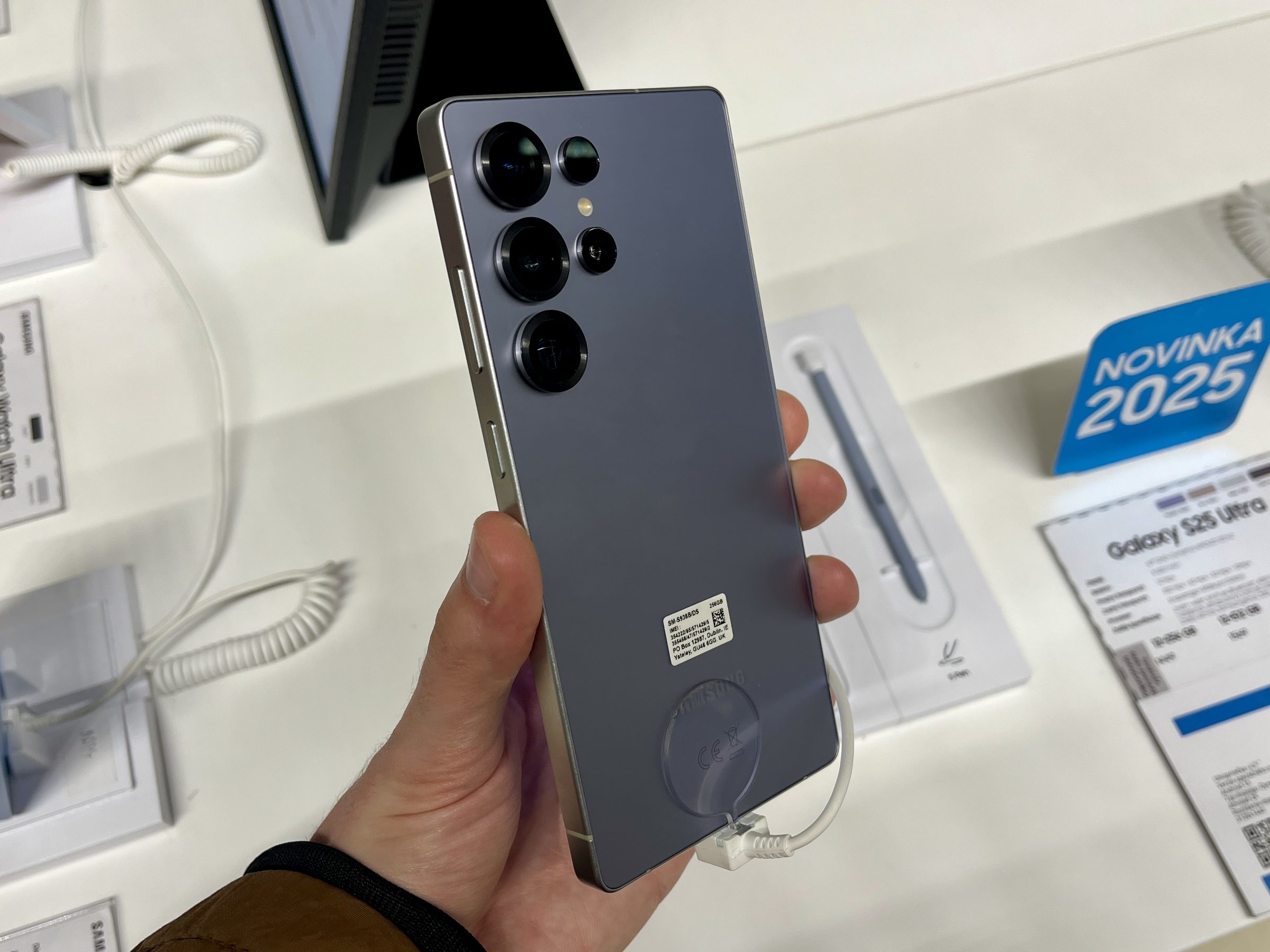
If you own a recent Galaxy phone, a notification is on its way — or may already be waiting. Samsung's November 2026 security update is rolling out now, and while it brings nothing you can see, it fixes something you cannot afford to ignore: 179 security flaws, 20 of them rated critical.
The update started in South Korea on 19 November, according to SamMobile, and US models began receiving it on 23 November, according to Droid-Life. Samsung's own security bulletin for the month was published on 3 November, a day after Google released its Android bulletin. The patch is now spreading region by region, and Samsung usually reaches most flagship owners within a few weeks.
This is not the update that changes how your phone looks or feels. It is the update that closes the doors attackers could walk through. Here is what is in it, which phones get it, and how to check yours.
What the update fixes: 179 flaws, 20 of them critical
The headline number is 179. That is how many vulnerabilities the November patch addresses across Android and Samsung's own software: 155 supplied by Google and 24 developed by Samsung.
The most serious of Google's fixes is CVE-2026-58868, a flaw in the Android Framework that could allow remote code execution with no user interaction — meaning a phone could, in theory, be attacked without its owner tapping anything at all. All 20 of the critical Google flaws are fixed in this release, according to reports of Samsung's bulletin.
Samsung's own 24 fixes cover its Exynos chipsets and modems, the bootloader, and the Dialer, Contacts and Messages apps. Samsung has disclosed details of 17 of its own fixes and is withholding details on seven until the update reaches more phones — a standard practice to avoid handing attackers a map before users are protected. Separate reporting also points to three high-severity One UI vulnerabilities involving bootloader memory handling and local privilege escalation.
None of this is theoretical. The flaws being fixed include the kind that security researchers find in the components every Galaxy phone relies on: the chips, the modem that connects to the network, and the software that starts the phone. A monthly security patch exists precisely because new flaws are found every month, and the November batch is a large one.
Which phones are getting it
The rollout began with the flagships, as usual. In South Korea, the Galaxy S24 series is receiving firmware version S93xNKSSEDZK1, a download of about 622 MB, while the Galaxy S25 series gets S92xNKSS6EZK1, about 502 MB. The Galaxy S24 FE and Galaxy S25 FE are also included, with downloads of roughly 380 MB.
In the US, the builds spotted by Droid-Life on 23 November are:
- Galaxy S25 Ultra: S938USQSEDZK6
- Galaxy S25+: S936USQSEDZK6
- Galaxy S25: S931USQSEDZK6
- Galaxy S24 Ultra: S928USQS6EZK1
- Galaxy S24+: S926USQS6EZK1
- Galaxy S24: S921USQS6EZK1
- Galaxy Z Fold 6: F956USQS4EZK1
- Galaxy Z Flip 6: F741USQS4EZK1
The list does not stop at flagships. Samsung's weekly roundup counted more than 40 Galaxy devices receiving the November patch in the week of 16–22 November, spanning the S series, the Z foldables, the A series and tablets — including the Galaxy Tab S10+ and Tab S10 Ultra, and the Galaxy A73 in several Southeast Asian countries. If your Galaxy phone is on the monthly or quarterly security schedule, the patch is either on its way or will be soon.
Exact timing depends on your model, your country and your carrier. Samsung rolls updates out in stages, and in the US, unlocked models usually receive them before carrier-locked ones. If the update has not reached you yet, that is normal — check again in a few days rather than assuming your phone has been forgotten.
What it does not change
Do not expect anything new. This is a security-only release, and the changelogs for each model say so plainly: no new features, and no visible change to One UI.
That is because the big changes already arrived. The Galaxy S25 and S24 families recently received their major upgrade to One UI 9, based on Android 17, and this patch simply sits on top of it. The phone will look and behave exactly as it did before — which is the point. A security update should be boring. If you install it and notice nothing different, it worked.
One way to confirm is to check the security software version after installing. It should read "SMR Nov-2026 Release 1" — Samsung's name for the November release.
How to install it
Most Galaxy phones will offer the update automatically when it reaches them. If you would rather not wait for the notification, you can check manually:
- Open Settings on your Galaxy phone.
- Tap Software update.
- Tap Download and install and follow the prompts.
Before you start, connect to Wi-Fi and make sure the battery is above 50 percent, or plug the phone in. The download is 380–620 MB depending on the model, and the phone will restart once during installation. Backing up photos and chats first costs nothing and is always worth doing before any system update.
If the check finds nothing, try again in a day or two. Samsung's staged rollouts mean two identical phones in different countries can receive the same update days apart.
Why you should not skip it
It is tempting to put off an update that promises nothing new. There are three reasons not to.
First, the scale: 20 critical Android flaws in a single month is a large batch, and one of them could allow remote code execution without any interaction from the owner. These are the flaws attackers prize most, because they need the least help from the victim.
Second, what your phone holds. A modern Galaxy phone is not just a phone — it carries banking apps, two-factor codes, email, photos and payment details. The flaws in this patch touch the modem, the bootloader and the apps that handle calls and messages. The cost of installing is a few minutes and a restart; the cost of the flaws is whatever an attacker can reach through them.
Third, the pattern. Samsung releases these patches monthly for its flagships, and the phones that stay current are the ones that stay protected. Skipping one month is rarely a disaster on its own, but the habit of skipping is how a phone ends up months behind — and the November patch, with 179 fixes, is not a month to fall behind on.
What comes next: One UI 9.5 and the Galaxy S27
While the November patch tidies up the present, Samsung is already testing the future. The One UI 9.5 beta opened on 18 November for the Galaxy S26, S26+ and S26 Ultra in six countries — Germany, India, Poland, South Korea, the UK and the US — and the stable release is expected in early 2027. Samsung is also testing new features in that beta, including code for real-time walking alerts in its Digital Wellbeing app, which would warn you if the phone detects you using the screen while walking — though that feature is unconfirmed for the final release. (Read more: Samsung One UI 9.5 Beta Is Here: App Lock, Smarter Cameras and a Health Upgrade for Galaxy S26)
Leaks of early Galaxy S27 software have also begun circulating, including a redesigned Now Bar that sits around the front camera — but Samsung has confirmed none of it, and features in test builds can change or be dropped before launch. The reliable news is the patch in front of you now.
For anyone weighing a new phone, the update cycle itself is part of the decision: Samsung now promises years of monthly security updates alongside its major Android upgrades, and the November rollout — more than 40 devices in a single week — shows that promise working in practice. (Read more: Top 5 Upcoming Smartphones to Watch in 2027) Samsung's latest hardware shows the same ambition on the display front — its Odyssey G6 is the world's first 1,100 Hz gaming monitor. (Read more: Samsung Odyssey G6 Is the World's First 1,100 Hz Gaming Monitor)
The November update will not make your Galaxy phone faster, prettier or smarter. It will make it safer — and on a phone that holds your money, your messages and your memories, that is the update that matters most. Check for it today.


Comments (0)
Comments are reviewed before they appear on the site. Your email address is never shown publicly.
No comments yet — be the first to share your thoughts.